How to Know Who Your Partner Is Talking to on WhatsApp
Want to know who your partner is talking to on WhatsApp? Learn what you can actually see, how Linked Devices work, and how authorized WhatsApp monitoring works.
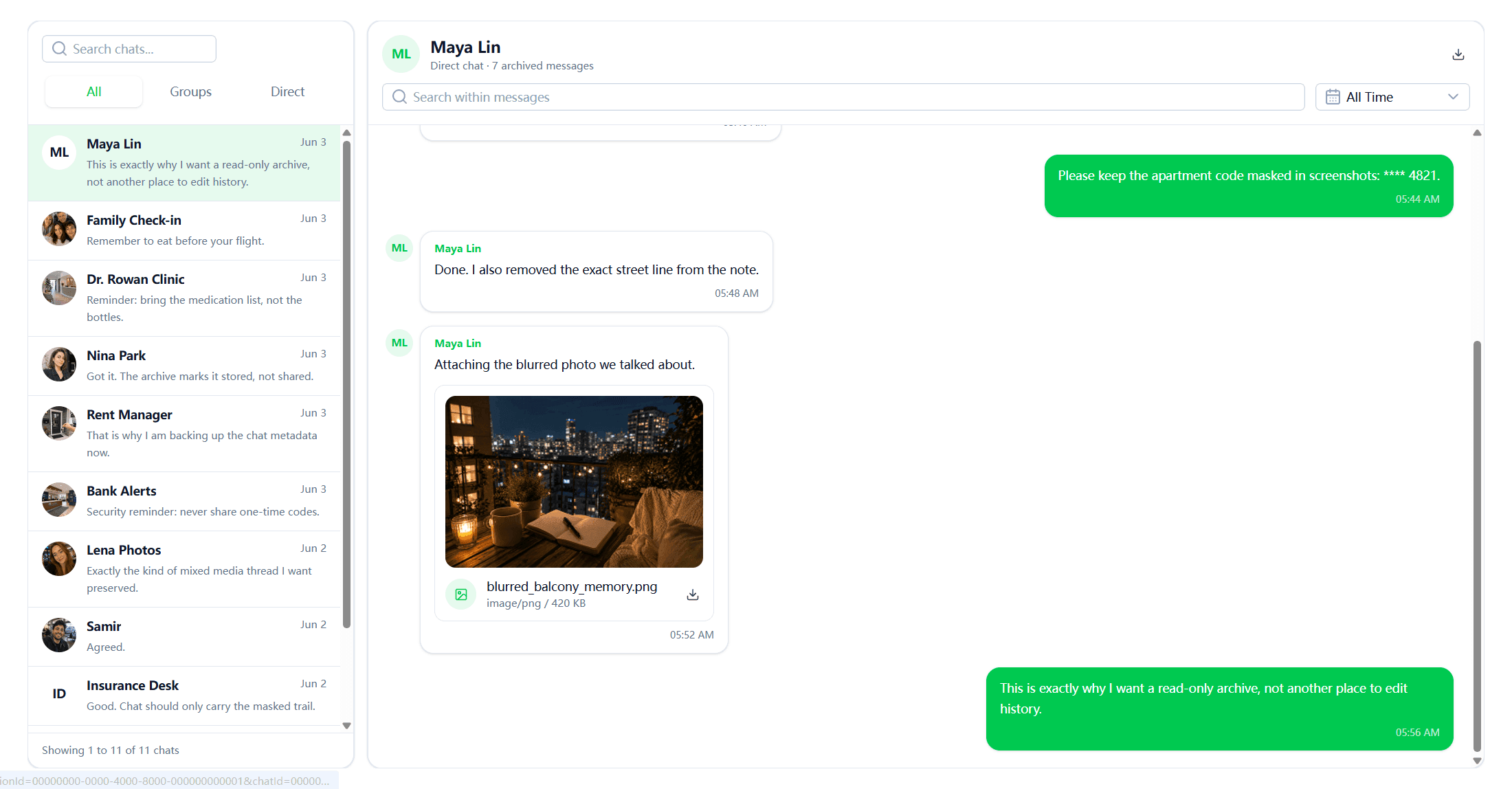
How to Know Who Your Partner Is Talking to on WhatsApp
If you want to know who your partner is talking to on WhatsApp, FamiPatrol provides a more direct way to review supported WhatsApp data from a browser-based dashboard.
After the WhatsApp account is connected through a QR authorization flow, FamiPatrol can synchronize supported account data such as chats, contacts, groups, media, calls, and recent activity.
Instead of relying on a one-time screenshot or exported conversation, FamiPatrol is designed to keep supported WhatsApp data organized in one place and continue updating the dashboard as new supported activity becomes available.
What WhatsApp data can FamiPatrol show?
Once the WhatsApp account has been connected, FamiPatrol organizes supported data into one dashboard so you can review different types of WhatsApp activity without moving between multiple screens.
- Chats — Review supported WhatsApp conversations and message activity.
- Contacts — View contacts associated with the connected WhatsApp account.
- Groups — Review supported group conversations and group activity.
- Media — Browse supported photos, videos, audio, and files shared through WhatsApp.
- Calls — Review supported WhatsApp call activity.
- Activity — See recent supported account activity as new data is synchronized.
This gives you a broader view of the connected WhatsApp account than checking a single chat or relying only on online status.
How does FamiPatrol get WhatsApp data?
FamiPatrol uses a QR-based connection flow.
The WhatsApp account is first connected through the account owner’s device. After the connection is authorized, supported WhatsApp data can begin synchronizing to the FamiPatrol dashboard.
The process is straightforward:
- Open the FamiPatrol WhatsApp connection page.
- A QR code is displayed in the browser.
- Use the WhatsApp account owner’s phone to authorize the connection.
- Wait for the initial WhatsApp data to synchronize.
- Open the FamiPatrol dashboard to review supported chats, contacts, media, groups, calls, and activity.
Once the connection is established, you do not need to repeatedly export individual chats just to review supported account activity.
Does FamiPatrol keep WhatsApp data updated?
Yes. FamiPatrol is designed to do more than create a one-time copy of WhatsApp data.
After the initial synchronization, supported new activity can continue appearing in the dashboard while the WhatsApp connection remains active.
That means the dashboard can be used as an ongoing view of supported WhatsApp activity instead of a static snapshot.
This is especially useful when you want to review changes over time rather than manually checking the phone again and again.
How to use FamiPatrol to review WhatsApp activity
Step 1: Open the WhatsApp connection page
Sign in to FamiPatrol and open the WhatsApp connection section.
A QR code will be generated for the connection process.
Step 2: Authorize the WhatsApp connection
Use the WhatsApp account owner’s phone to scan the QR code and approve the connection.
Once the connection is established, FamiPatrol can begin synchronizing supported WhatsApp data.
Step 3: Wait for the initial synchronization
The first synchronization may need time to organize the supported data associated with the connected account.
After synchronization, available WhatsApp data will appear in the dashboard.
Step 4: Review WhatsApp data from the dashboard
Open the FamiPatrol dashboard to review supported account information such as:
- Conversations
- Contacts
- Groups
- Shared media
- Calls
- Recent activity
You can move between these sections from the browser without repeatedly opening individual WhatsApp screens.
Step 5: Check for new synchronized activity
While the connection remains active, supported new WhatsApp activity can continue appearing in the dashboard.
This makes it easier to follow changes over time from one interface.
Why use FamiPatrol instead of exporting WhatsApp chats?
WhatsApp’s Export Chat feature can be useful when you only need a copy of one specific conversation.
But an exported chat is static. It does not automatically become a live dashboard, and it does not give you an organized view of multiple WhatsApp data types.
| Feature | WhatsApp Export Chat | FamiPatrol |
|---|---|---|
| Review one selected conversation | Yes | Yes, when supported |
| View multiple supported conversations | Manual | Yes |
| View contacts | No organized dashboard | Yes |
| View groups | Limited to exported content | Yes |
| View media | Optional export | Organized when supported |
| View call activity | No | Yes, when supported |
| Browser-based dashboard | No | Yes |
| Ongoing supported data updates | No | Yes, while connected |
For a one-time conversation review, Export Chat may be enough.
For a broader and continuously updated view of supported WhatsApp activity, FamiPatrol is designed to provide a more structured workflow.
Can FamiPatrol show who someone is talking to on WhatsApp?
If the connected WhatsApp data includes supported conversations, the FamiPatrol dashboard can help you review those conversations and see the contacts or groups associated with them.
This is different from trying to guess who someone is talking to based on online status, notifications, or phone usage.
Those signals may tell you that someone is using WhatsApp, but they do not reveal the actual conversation.
FamiPatrol works from the connected WhatsApp account data instead of relying on indirect activity signals.
Can you find WhatsApp chats with only a phone number?
No.
A phone number alone does not give you access to someone’s private WhatsApp conversations.
WhatsApp uses end-to-end encryption, so there is no legitimate public tool that lets you enter a phone number and reveal private chats.
To review supported WhatsApp account data in FamiPatrol, the WhatsApp account first needs to be connected through the supported authorization process.
What happens when new WhatsApp activity appears?
When the WhatsApp connection remains active, supported new account activity can continue synchronizing to FamiPatrol.
For example, depending on the supported data available through the connection, the dashboard may update when there are new:
- Messages
- Conversations
- Contacts
- Group activity
- Shared media
- Calls
- Account activity
You can then review the synchronized information from the relevant section of the FamiPatrol dashboard.
This ongoing synchronization is one of the key differences between FamiPatrol and a one-time WhatsApp export.
Can you manually disconnect WhatsApp from FamiPatrol?
Yes. FamiPatrol lets you manually end the WhatsApp connection from the FamiPatrol side when you no longer want the dashboard to continue synchronizing new activity.
Once you trigger the disconnect:
- The active FamiPatrol WhatsApp session is ended.
- New supported WhatsApp activity stops synchronizing to the dashboard.
- The disconnected session no longer remains active for future updates.
- To resume synchronization later, the WhatsApp account needs to be connected again.
What happens on the WhatsApp phone after disconnecting?
When the WhatsApp session is successfully unlinked, it is no longer an active linked session.
WhatsApp also lets the account owner review and remove active linked devices from the Linked Devices section on the primary phone.
This is different from claiming that an active connection is invisible. While a standard WhatsApp linked-device session is active, WhatsApp may expose it through its own linked-device management interface.
After the session has been disconnected, FamiPatrol will no longer receive new supported WhatsApp activity until the account is connected again.
Privacy and authorization
Private WhatsApp data should only be reviewed when you own the account or have clear authorization from the account owner.
The account owner should understand what is being connected and should remain able to disconnect the session.
FamiPatrol is designed around an authorized connection workflow rather than phone-number lookup, password guessing, or bypassing WhatsApp security.
You should also check applicable laws in your jurisdiction before monitoring another person’s account or device.
FAQs about FamiPatrol and WhatsApp data
Can FamiPatrol show WhatsApp conversations?
Yes. After a WhatsApp account is successfully connected and supported data has synchronized, FamiPatrol can display available conversations, including chats with contacts and groups.
What WhatsApp data can FamiPatrol show?
Depending on the connected account and available synchronized data, FamiPatrol can organize chats, contacts, groups, photos, videos, audio, files, calls, and recent account activity in one browser-based dashboard.
Does FamiPatrol update WhatsApp messages automatically?
While the supported WhatsApp connection remains active, new supported activity can continue synchronizing to the FamiPatrol dashboard. You do not need to repeatedly export individual chats.
Can FamiPatrol work with only a phone number?
No. A phone number alone cannot reveal private WhatsApp conversations. The WhatsApp account must first be connected through the supported authorization flow.
Can I disconnect WhatsApp from FamiPatrol?
Yes. You can manually end the WhatsApp connection from FamiPatrol. After the session is disconnected, new WhatsApp activity stops synchronizing until the account is connected again.
Is FamiPatrol a one-time WhatsApp export?
No. FamiPatrol is designed as a browser-based dashboard for reviewing supported synchronized WhatsApp data, rather than only generating a one-time exported chat file.
Conclusion
If your goal is to know who someone is talking to on WhatsApp, online status and notification patterns are limited because they only show indirect activity.
FamiPatrol takes a different approach.
After an authorized WhatsApp account is connected, FamiPatrol can synchronize supported chats, contacts, groups, media, calls, and recent activity into one browser-based dashboard.
More importantly, it is designed to keep supported account data updated while the connection remains active, so you are not limited to a one-time exported conversation.
If you want a structured way to review supported WhatsApp activity from one place, connect the account to FamiPatrol and use the dashboard to follow synchronized data over time.

By myra