
WhatsApp Tracker Online, From Your Browser
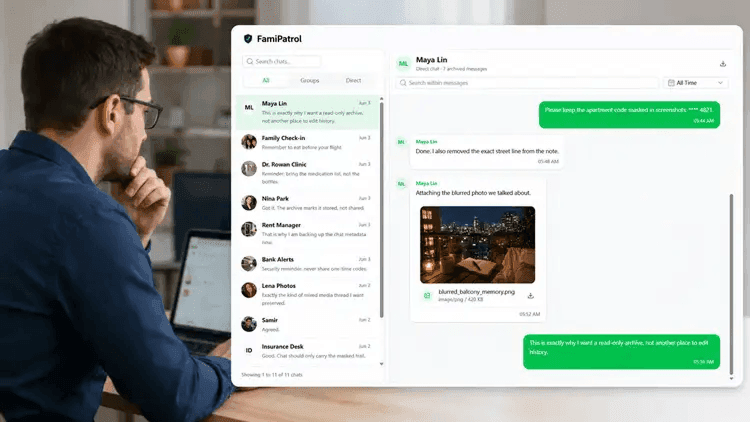
Review synced WhatsApp chats, photos, videos, voice notes, contacts and supported call history in one private dashboard. Connect an account you own or are authorized to access by QR code, then browse its available records online.
- No extra monitoring app
- Private dashboard
- Media & chat overview
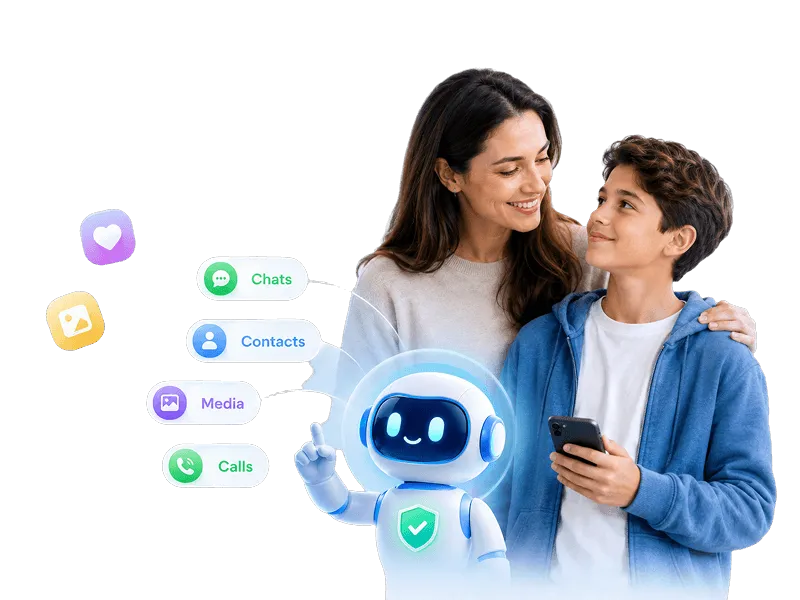
Review WhatsApp Chats & Messages Online
Open synced individual and group conversations from your browser. Move between messages and available attachments without repeatedly exporting chats. Initial setup still requires the account owner’s phone and authorization.
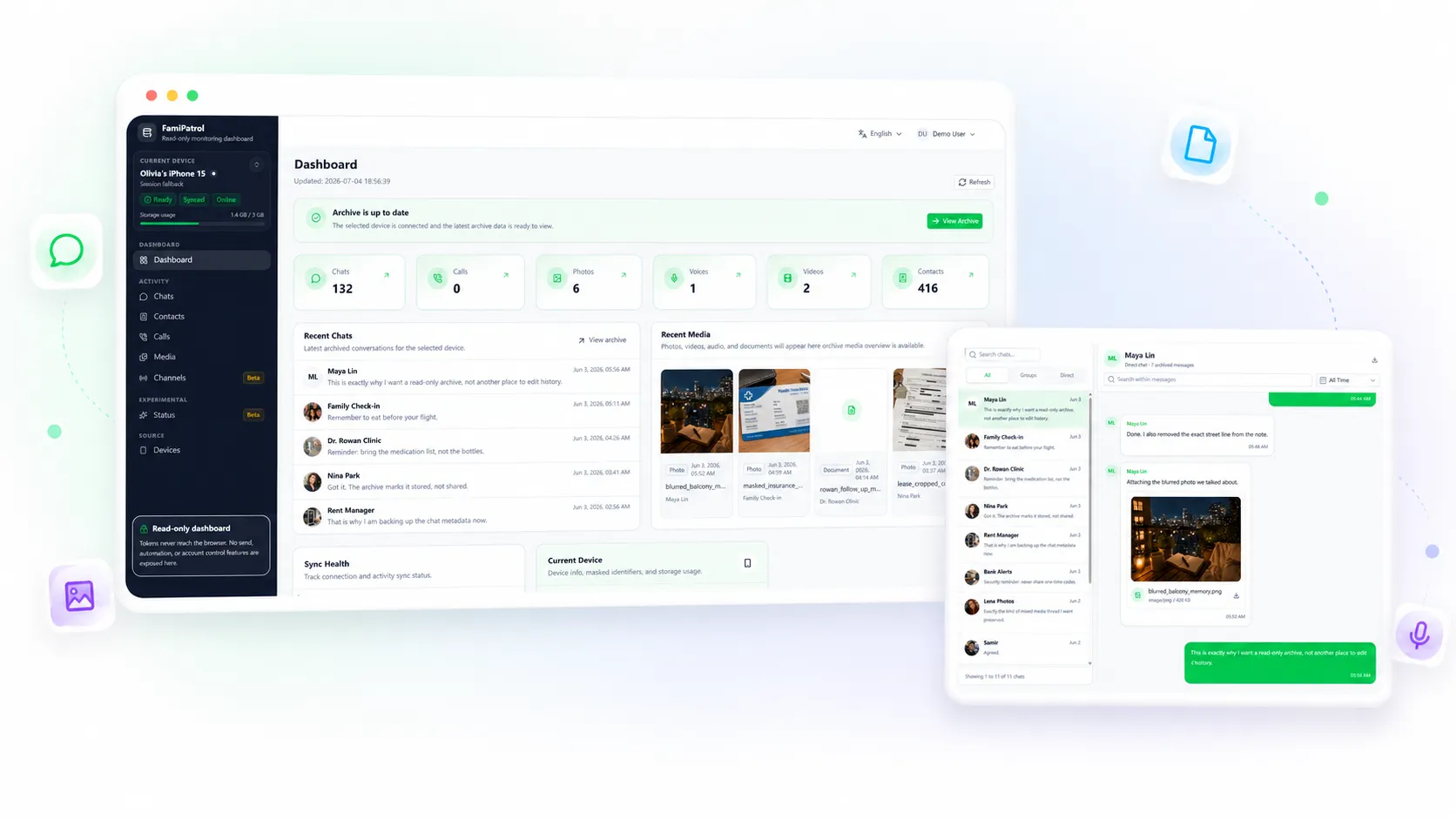
WhatsApp chat history
Read archived messages and group conversations in context. History depends on what the linked account makes available to sync.
WhatsApp photos, videos & voice notes
Browse synced media by type and open available attachments alongside their conversations.
Browser access after QR setup
No extra monitoring software is installed on either phone. WhatsApp must already be available on the account owner’s phone for authorization.
A Web-Based WhatsApp Tracker for Authorized Review
Connect by QR code, let supported records sync, and review them from a read-only dashboard. Updates depend on the connection, available history and storage.
No extra monitoring app
The parent dashboard runs in the browser after QR-based authorization.
Chats, media & call history
Review synced conversations, attachments, contacts and available call metadata. Call audio is not recorded.
Parent-focused workflow
Organized views help families notice important records without digging through a device.
Read-only access
FamiPatrol is for review. It does not provide controls for sending, editing, or deleting messages.
What Can This WhatsApp Tracker Show?
Explore synced messages, group chats, media and contacts. The dashboard shows archived records, not online status, screen time or a complete device activity log.
WhatsApp Chats & Groups
View synced one-to-one messages and group chat history in context.
WhatsApp Photos, Videos & Audio
Browse available photos, videos and voice notes after their files have synced.
WhatsApp Documents
Open available document attachments from the media archive or their chat.
WhatsApp Contacts
View synced contact names and available profile details for the connected account.
Synced WhatsApp Activity
Review recent archived chats and media with sync progress and connection status.
WhatsApp Call History
Review available call dates, direction and duration where supplied. No call recording.
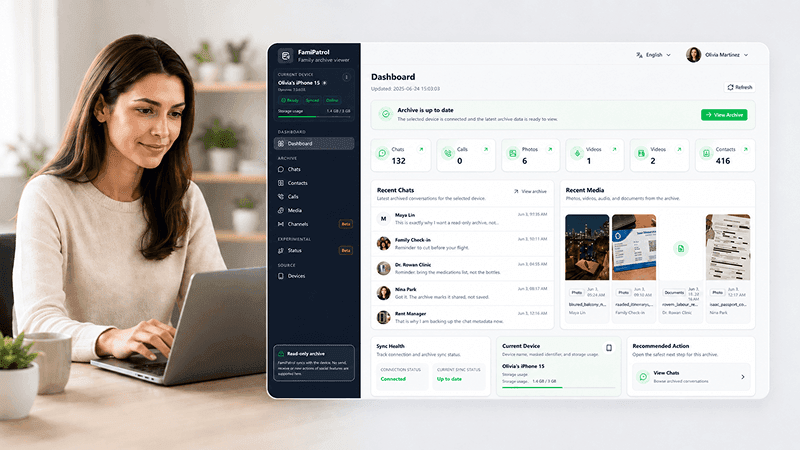
Try the WhatsApp Tracker Dashboard
Explore a demo with fictional chats and media, then see how the read-only views organize synced records. Your own dashboard shows only data available from your authorized connection.
- Chat history and group activity
- Photos, videos, voice notes, and documents
- Contacts and account records
- Supported call history and sync status
- Browser-based dashboard access
- Read-only access for authorized accounts
Browser-Based WhatsApp Tracking: What Setup Involves
FamiPatrol uses QR authorization and a web dashboard. Other products have different installation, permission and feature requirements; check the specific product before choosing.
| Need | FamiPatrol | Typical phone-app approach |
|---|---|---|
| Phone installation | No extra phone app required | Varies by product |
| Authorization | QR-based authorization | Varies by product |
| Parent review | Chats, media, documents, contacts, groups, and recent activity | Varies by product |
| Data organization | Structured web dashboard | Varies by product |
| Parent device | Open from a browser | Varies by product |
| Account boundary | Authorized accounts only | Varies by product |
| Setup clarity | Create account, scan QR, review dashboard | Varies by product |
How to Use a WhatsApp Tracker Online
Create your FamiPatrol account
Choose a plan and open your private dashboard workspace.
Authorize with QR
On the account owner’s phone, open WhatsApp Linked Devices and scan the QR code to authorize FamiPatrol.
Wait for sync, then review
Browse available chats, media, contacts and call records after sync. Check connection and storage status if updates stop.
What you need before starting
You need a FamiPatrol account, a browser and access to the WhatsApp account owner’s phone for QR authorization. Keep the connection active for further syncs.
Authorized WhatsApp account
You need permission to connect the account you plan to review.
Modern web browser
The parent dashboard runs online, so no extra phone app is required.
QR authorization access
Setup starts by scanning a QR code from the authorized account.
Helping parents stay informed while respecting account boundaries
FamiPatrol exists to make authorized WhatsApp review clearer, calmer, and easier to manage from a private dashboard.
Focused on WhatsApp
Conversations, shared media and available call records provide context for an informed family conversation.
Permission-first
Connection begins with QR-based authorization and is intended for accounts parents are allowed to manage.
Review without control
The dashboard is designed for visibility, not message sending or account control.
WhatsApp Review for Families and Personal Archives

Review WhatsApp group conversations
See authorized chat and group activity in a calmer dashboard view.

Check shared media and files
Photos, videos, voice notes, and documents stay organized for quick review.
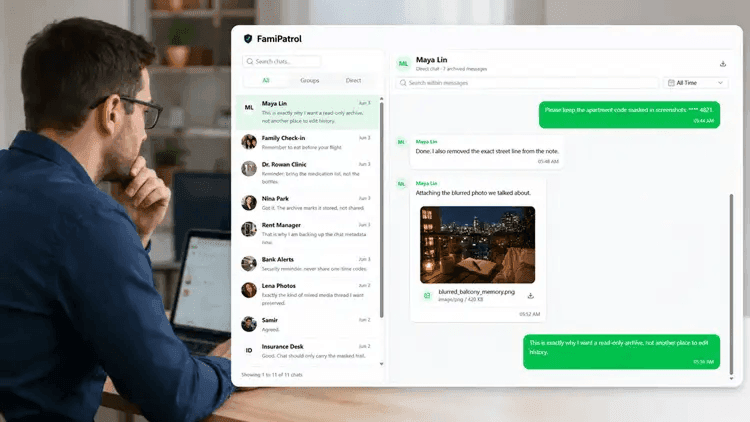
Revisit your WhatsApp chat history
Return to your synced messages and available call history from a signed-in browser.
WhatsApp Tracker Plans & Pricing
Yearly Plan
Best value$89.99 billed yearly. Save 67%.
- 1 device slot for one WhatsApp account
- 1GB base account storage
- Manual and scheduled activity sync
- Auto-renew. Cancel anytime.
Quarterly Plan
$49.99 billed quarterly. Save 28%.
- 1 device slot for one WhatsApp account
- 1GB base account storage
- Manual and scheduled activity sync
- Auto-renew. Cancel anytime.
Monthly Plan
$22.99 billed monthly.
- 1 device slot for one WhatsApp account
- 1GB base account storage
- Manual and scheduled activity sync
- Auto-renew. Cancel anytime.
WhatsApp Tracker Online: Common Questions
Can I use a WhatsApp tracker without installing another app?
Yes. FamiPatrol needs no extra monitoring app. You still need access to the account owner’s WhatsApp phone to approve the QR connection, then you can review synced records from a browser.
What WhatsApp data can I monitor?
You can view synced individual and group chats, available photos, videos, voice notes, documents, contacts and supported call metadata. Availability varies by account history, sync progress and storage; calls are not recorded.
Is the dashboard read-only?
Yes. FamiPatrol is designed as a read-only dashboard. Users can review activity, but the dashboard does not send, edit, or delete WhatsApp messages.
Do I need permission to connect an account?
Yes. Only connect an account you own or have permission to access. QR authorization requires access to the account’s phone; a phone number alone cannot connect an account.
Is WhatsApp tracker online the same as an online-status tracker?
No. “Online” describes the browser dashboard. FamiPatrol shows synced records; it does not track last seen, online presence or time spent in WhatsApp.
Is FamiPatrol affiliated with WhatsApp or Meta?
No. FamiPatrol is an independent product and is not affiliated with WhatsApp or Meta.
Which plan should I choose?
Monthly is flexible, quarterly is popular for ongoing review, and yearly gives the lowest equivalent monthly price.
Review WhatsApp Records From Your Browser
Explore the demo, choose a plan, and connect your authorized account by QR code. Records become available after synchronization.